Get Started
1-Click Indian Statutory Compliance

Payroll Management Software for Indian Businesses

Bring attendance, leave, salary structures, deductions and payroll review into one monthly workflow. AccoNova helps calculate EPF, ESI, Professional Tax and TDS based on configured rules, while your payroll team reviews outputs before filing or payment.

✓1-Click EPFO Portal Ready ECR Text File Export: #~# Delimited format pre-validated for instant upload to the EPFO Unified Member Portal.
✓Automated ESI, TDS & Form 16 PDFs: Dual-tax regime calculation engine (Old vs New Tax Regimes) with 1-click Part A & Part B Form 16 compilation.
✓Direct Sync with Attendance, Leaves & LOP: Automatic flow of GPS geo-fenced attendance, overtime, and Loss of Pay (LOP) days into salary sheets.
✓Compare current plan amounts, employee limits and included modules on the pricing page before choosing your subscription.
Indian CTC Estimator
Annual CTC (Gross)₹8,00,000
₹3L₹24L
Monthly Gross₹66,667
Basic Pay (50%)₹33,333
HRA (50% of Basic)₹16,667
Special Allowance₹14,867
Monthly Deductions
PF (Employee 12%)-₹1,800
Professional Tax (PT)-₹200
Estimated TDS-₹3,333
Monthly Take-Home₹61,334

What is Payroll Management Software in India?

Payroll management software in India is a cloud-based application that automates employee salary calculation, tax deductions, and statutory compliance. AccoNova HRMS calculates gross-to-net pay, processes Provident Fund (EPF ECR text exports), ESI, Income Tax (TDS), Form 16 PDFs, and Gratuity, pulling directly from attendance and leave records.
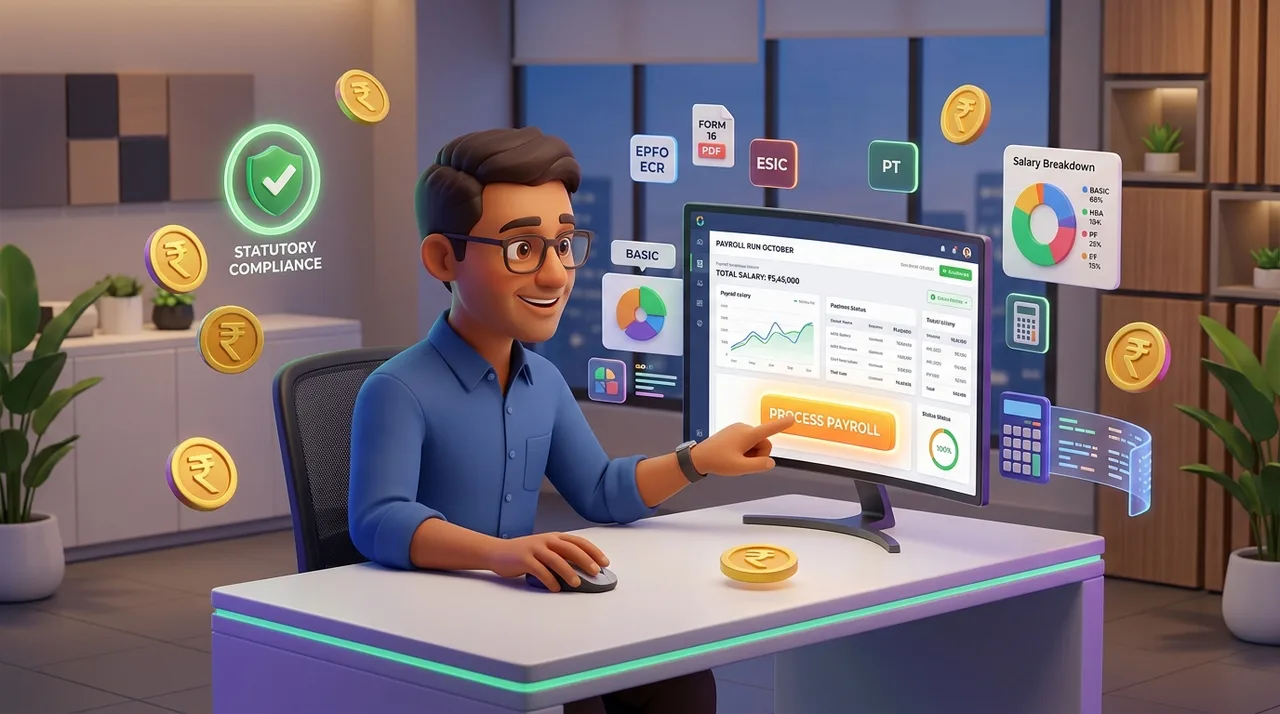
Automated Indian Payroll Processing & Statutory Calculation DashboardStatutory Verified
AccoNova 1-Click Automated Statutory Payroll Processing with EPF ECR, Form 16, ESIC, and 28-State Professional Tax

Deep-Dive Core Modules & Feature Highlights

01

1. Indian Statutory Workflows Engine

Automate complex government labor and tax calculations with compliance review risk.

EPF ECR Text File ExportCalculates employee 12% contribution and splits employer 12% contribution (8.33% EPS capped at ₹15,000 ceiling + 3.67% EPF). Generates ready-to-upload #~# text files for the EPFO portal.
ESI & Professional Tax (PT)Automatic ESI calculation for employees earning up to ₹21,000/month (0.75% employee + 3.25% employer) and state-wise Professional Tax slab application.
Income Tax (TDS) & Form 16 GenerationAutomated monthly TDS deductions based on Old vs New Income Tax Regimes, with 1-click annual Form 16 PDF compilation.
02

2. Automated Attendance, LOP & Overtime Integration

Eliminate manual Excel calculations before running monthly payroll.

Real-Time LOP SynchronizationUnapproved absences, late mark deductions, and exhausted leave balances flow directly into salary sheets as Loss of Pay (LOP) days.
Overtime (OT) Pay ComputationAutomatically compute single or double overtime compensation based on approved shift attendance logs.
Variable Allowances & BonusesSupport flexible allowance structures (Basic, HRA, Conveyance, Special Allowance) and performance bonus disbursements.
03

3. Investment Declarations & Employee Tax Portal

Let employees submit investment declarations and review tax options online.

Online Tax DeclarationsSelf-service portal for employees to submit investment declarations under Section 80C, 80D, HRA, and National Pension Scheme (NPS).
Investment Proof VerificationHR managers can review, approve, or reject uploaded tax-saving proof attachments directly within the workspace.
Bulk Digital Payslip DistributionGenerate and distribute password-protected PDF payslips via email or mobile app with one click.
04

4. Employee Loans, Salary Advances & Expense Reimbursements

Streamline employee financial assistance and expense management.

Loan Disbursement & EMI Auto-DeductionsManage employee loan approvals, track principal amounts, and set up automated monthly EMI deductions.
Advance Salary RecoveryDisburse salary advances and automatically reconcile repayments in subsequent payroll cycles.
Tax-Free ReimbursementsProcess employee expense claims (travel, internet, client entertainment) with receipt attachments and manager sign-offs.
05

5. Full & Final (F&F) Settlement & Exit Clearance

Process smooth, error-free exit payouts for departing employees.

Automated Encashment & Notice Period RecoveryCompute earned leave encashment payouts and notice period shortfall recoveries automatically.
Gratuity Calculation EngineAutomated gratuity calculation for eligible employees completing 5+ years of continuous service under the Payment of Gratuity Act.
Exit Payslips & No-Dues VerificationGenerate comprehensive F&F settlement statements, tax calculation sheets, and exit clearance certificates.

AccoNova HRMS vs Traditional Payroll Methods

Feature / MetricAccoNova HRMSManual Excel SpreadsheetsLegacy Payroll Software
EPF ECR Export FormatNative 1-Click #~# Text FileVerify the workflowVerify the workflow
Form 16 PDF ExportAutomated 1-Click CompilationVerify the workflowVerify the workflow
Attendance LOP SyncReal-Time Automatic SyncVerify the workflowVerify the workflow
Tax Regime SupportOld vs New Regime EngineVerify the workflowVerify the workflow
Free Starter TierView current plansVerify the workflowVerify the workflow

Built on Engineering Excellence & Trust

🛠️ First-Hand Engineering & Architecture Notes

The AccoNova payroll computation engine was built with a precision double-entry ledger architecture to ensure zero decimal rounding discrepancies across EPF Account 1/10 splits and ESIC filings. Field-tested across Indian accounting, manufacturing, and IT sectors.

✍️ Created & Verified By Experts

  • •Written & Engineered by: Ajay Kumar Thakur (Founder & CEO, AccoNova HRMS)
  • •Technical Review: Verified by AccoNova HR & Compliance Operations Team

🔒 Enterprise Data Security & Standards

Cloud Data Security: Role-Based Access Control & Cloud Security Best Practices.
Role-Based Access Control (RBAC): Strict permission boundaries ensuring payroll data is restricted exclusively to authorized finance and HR administrators.
Activity Audit Logs: Comprehensive historical record of every salary structure modification, tax declaration approval, and payroll locking action.

Examples of Multi-Location Workflows

AccoNova HRMS supports multi-branch payroll processing and statutory compliance across all major Indian enterprise hubs:

📍 Registered OfficeWard No. 09, Vill. Yadupatti, Charaut, Sitamarhi, Bihar - 843319, India
📍 Example Work LocationsDelhi NCR, Gurugram, Bengaluru, Mumbai, Pune, Hyderabad, Chennai, and Ahmedabad.
📍 Multi-Entity CapabilityRun payroll across multiple GSTINs, branch offices, and company entities under a single unified dashboard.

Workflow configuration checklist

ScopeInputsReview
PeopleEmployee and work-location recordsValidate identifiers and access roles.
PeriodAttendance, leave and adjustmentsResolve exceptions before payroll.
OutputReports and supported exportsReconcile totals and confirm plan availability.

Frequently Asked Questions

Q1. What is automated payroll management software in India?

Automated payroll management software in India calculates gross-to-net salaries, statutory deductions (EPF, ESI, TDS, PT), generates 1-click EPF ECR text files, Form 16 PDFs, and bulk payslips while syncing with attendance records.

Q2. Does AccoNova HRMS generate EPF ECR text files for the EPFO portal?

Yes! AccoNova automatically generates pre-formatted #~# delimited ECR text files ready for 1-click upload to the EPFO Unified Member Portal.

Q3. How does AccoNova handle Old vs New Income Tax Regimes?

AccoNova includes a dual-tax engine allowing employees to select their preferred tax regime (Old vs New) during investment declarations, automatically computing accurate monthly TDS deductions.

Q4. Can I process payroll for free with AccoNova HRMS?

Compare current plan amounts, employee limits and included modules on the pricing page before choosing your subscription.

Q5. How does attendance sync with payroll in AccoNova?

AccoNova automatically converts unapproved absences, late marks, and exhausted leave balances into Loss of Pay (LOP) days, adjusting gross salary computations automatically before payroll processing.

Explore Related AccoNova Solutions

Current Plans

Choose a Plan for Your Team

Experience India's most advanced payroll automation platform. Compare current plan amounts, employee limits and included features before subscribing.

Get Started Now
Chat with AccoNova HR specialists on WhatsApp