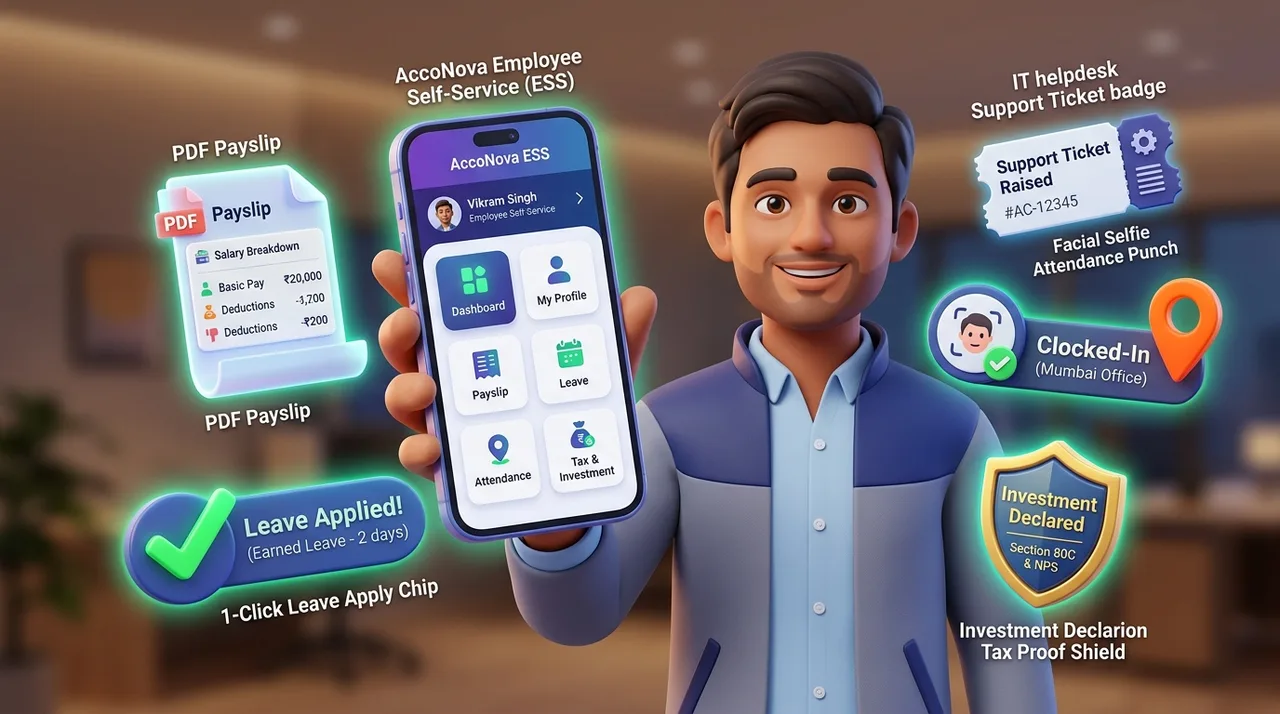
What is an Employee Self-Service (ESS) Portal?
An Employee Self-Service (ESS) portal is a secure online platform that allows workforce members to access HR and payroll information independently. AccoNova HRMS ESS portal enables employees to download monthly payslips, apply for leaves, track GPS check-ins, submit tax declarations (Section 80C/80D), and view company policies without contacting HR.
Deep-Dive Core Modules & Feature Highlights
1. Instant Payslip & Tax Document Access
Eliminate routine HR email requests for payroll documents.
2. Online Tax Declarations & Investment Proof Uploads
Simplify tax-saving submissions for employees and HR admins.
3. Real-Time Leave Applications & Attendance Dashboard
Complete transparency over working hours, leaves, and holiday calendars.
4. Digital Onboarding & Self-Registration Portal
Streamline new hire onboarding without manual data entry.
5. Internal Helpdesk Ticketing & Company Announcements
Keep employees informed and resolve workplace queries fast.
AccoNova ESS Portal vs Traditional HR Operations
| Feature / Metric | AccoNova ESS Portal | Manual Email Requests | Basic Standalone HR Apps |
|---|---|---|---|
| Payslip & Form 16 Access | 24/7 Instant PDF Download | Verify the workflow | Verify the workflow |
| Tax Declaration & Proof Uploads | Built-In Section 80C/80D Portal | Verify the workflow | Verify the workflow |
| Mobile App Access | Mobile web / PWA | Verify the workflow | Verify the workflow |
| Helpdesk Ticket System | Integrated Ticket Dashboard | Verify the workflow | Verify the workflow |
| Self-Registration Onboarding | Included | Verify the workflow | Verify the workflow |
| Free Starter Plan | View current plans | Verify the workflow | Verify the workflow |
Built on Engineering Excellence & Trust
🛠️ First-Hand Engineering & Architecture Notes
The AccoNova ESS Portal was engineered with responsive progressive web architecture (PWA) and responsive web components to deliver mobile access even on low-bandwidth 3G/4G networks across India. Built with strict role-based data isolation (RBAC) ensuring employees access only their personal records.
✍️ Created & Verified By Experts
- •Written & Engineered by: Ajay Kumar Thakur (Founder & CEO, AccoNova HRMS)
- •Technical Review: Verified by AccoNova HR & Compliance Operations Team
🔒 Enterprise Data Security & Standards
Examples of Multi-Location Workflows
AccoNova HRMS supports multi-branch employee self-service and corporate operations across all major Indian enterprise hubs:
Workflow configuration checklist
| Scope | Inputs | Review |
|---|---|---|
| People | Employee and work-location records | Validate identifiers and access roles. |
| Period | Attendance, leave and adjustments | Resolve exceptions before payroll. |
| Output | Reports and supported exports | Reconcile totals and confirm plan availability. |
Frequently Asked Questions
Q1. What is an Employee Self-Service (ESS) portal in India?
An Employee Self-Service (ESS) portal is an online application that allows employees to download payslips, Form 16 PDFs, apply for leaves, track attendance, submit Section 80C tax declarations, and raise HR tickets independently.
Q2. Can employees download password-protected payslips from AccoNova ESS?
Yes! Employees can log into the ESS web portal or mobile app 24/7 to download password-protected PDF payslips and annual Form 16 documents.
Q3. How does the online tax declaration portal work in AccoNova ESS?
Employees select their preferred tax regime (Old vs New) and submit Section 80C, 80D, HRA, and NPS investment declarations with digital proof attachments for HR verification.
Q4. Is the Employee Self-Service portal available on mobile devices?
Yes! AccoNova ESS is fully accessible via mobile-responsive browsers and PWA as well as responsive desktop web browsers.
Q5. Is the ESS portal included in the free Neev HR plan?
Compare current plan amounts, employee limits and included modules on the pricing page before choosing your subscription.